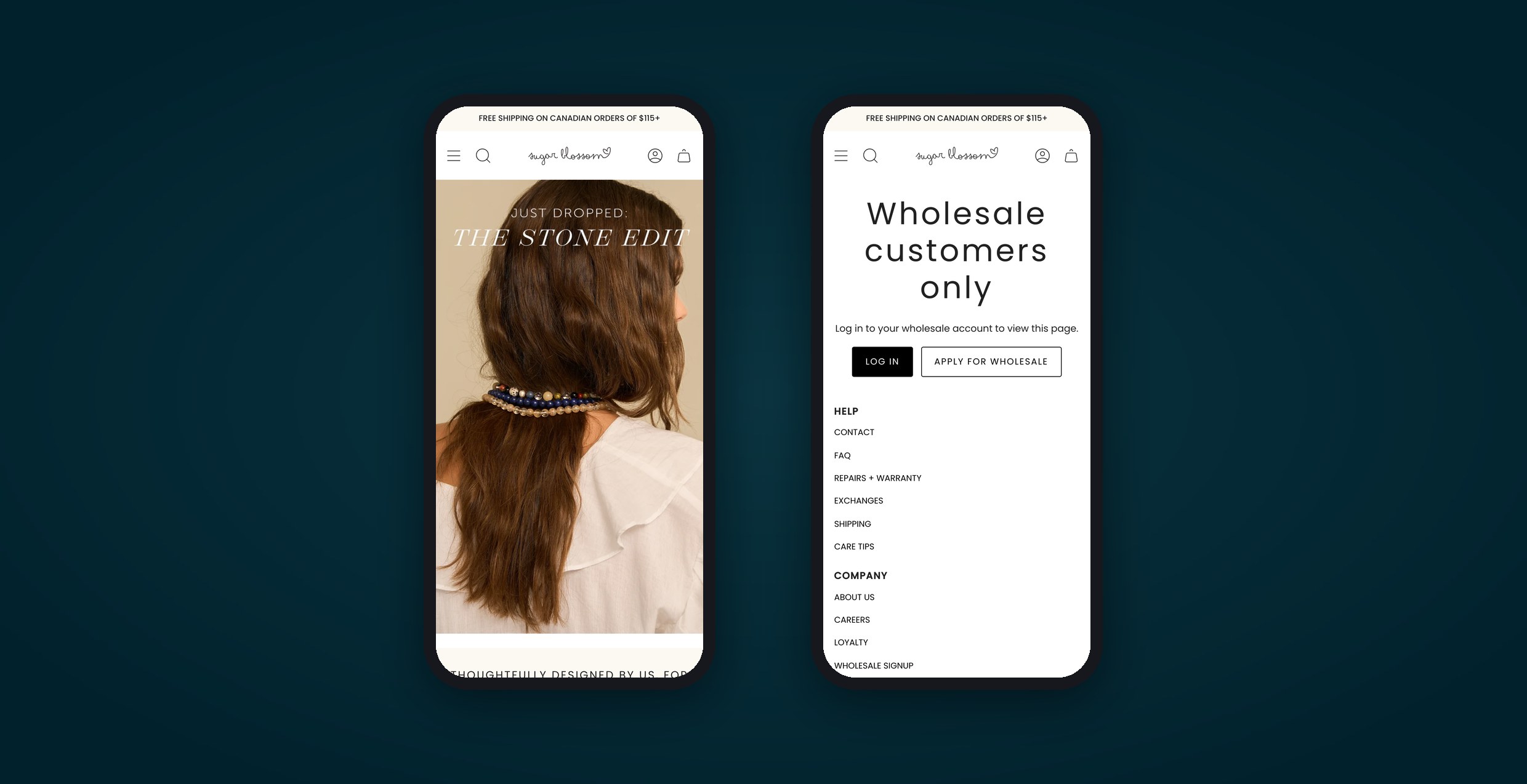
Two phones showing shopsugarblossom.com: the retail homepage, and a wholesale-only page asking buyers to log in or apply.

Client

Sugar Blossom Jewelry

Date

October 7, 2026

View Site

The Client

Two stores meant most products lived twice, with a sync app copying between them. Shopify opened native B2B to its Basic, Grow and Advanced plans in April 2026, and in September we started moving wholesale onto shopsugarblossom.com. Every product listed once, one inventory count, and a login that shows wholesale buyers their own prices.

Store consolidation · Shopify B2BApproved Sept 23, 2026 · Launching October 2026
2→1
Shopify stores
Retail and wholesale share one store from launch
20
Days at most, go-ahead to launch
Under three weeks, call to launch
$160+
USD a month in apps to retire
Plus the wholesale store's Shopify plan
Built and in final testing. Wholesale buyers move over at launch in October 2026, and the savings start when the old store and its apps are cancelled.
Industry
Jewelry, retail and wholesale
Platform
Shopify, native B2B

The client

Sugar Blossom Jewelry is a Winnipeg jewelry brand. It sells online, in its own flagship store, and through a wholesale program for stockists.

We built their separate wholesale store in 2022, and it was the right call then. Shopify's native B2B tools were for Plus stores only, and a second store was the practical way to give wholesale buyers their own prices, minimums and shipping.

The Problem

Two stores, every job twice

The second store solved wholesale pricing and created a maintenance job that never ended. Most products, photos and descriptions had to exist in both places. A store-to-store sync app we set up with the wholesale store copied products and stock from retail to wholesale, and keeping it accurate took ongoing work.

  • Stock drifted. Early on, the sync added inventory that wasn't there, and products without a unique barcode didn't sync their stock, so either store could sell a piece the other had already sold.
  • Edits got overwritten. By September 2026, details the team fixed on the wholesale store vanished on the next sync from retail, and wholesale-only fields came back blank.
  • Wholesale came second. With every job done twice, the wholesale site fell behind: products sorted in an old order, and merchandising that drifted away from retail.
  • Some bills came twice. Two Shopify plans, plus a second stack of apps that only existed because there were two stores.
"In my dream world the metafields would sync consistently between the two stores and I wouldn't have to do copy-paste on each listing."Cady Pavagadhi, Sugar Blossom Jewelry, September 2026
Before
Two stores
Retail
shopsugarblossom.com
  • Products and stock
  • Retail apps
  • Shopify plan
Sync app, retail to wholesale
Wholesale
wholesale.shopsugarblossom.com
  • Copied products
  • Wholesale apps
  • Second Shopify plan
After
One store, two ways to buy
Retail and wholesale
shopsugarblossom.com
Shoppers
Retail prices and retail shipping, same as before
Wholesale buyers, logged in
Catalog prices with MSRP, their minimum order, wholesale shipping and wholesale-only pages
One product list, one inventory count, one place to edit

The Execution

We fixed the sync, then planned one store

On September 10, Sugar Blossom flagged the vanishing wholesale details. We traced it to a setting we had put in place: retail was the master copy, so anything edited on wholesale got overwritten. By September 17 the fix was live. Product details now get edited on retail and reach wholesale in under a minute, and we cleaned up the scrambled listings.

That fixed the symptom, not the second store behind it. The bigger fix came up that same day. We suggested a fresh look at wholesale, and Cady asked whether wholesale buyers could log in on the main store instead. By then Shopify allowed it. In April 2026, native B2B (company accounts, wholesale catalogs, payment terms) reached the Basic, Grow and Advanced plans. On a September 23 strategy call we planned the move, and the proposal went out that afternoon. Sugar Blossom approved it the same day, and work started the next morning.

What we built

  • Native Shopify B2B
  • Two wholesale catalogs
  • Gated wholesale pages
  • Wholesale application
  • Migration script
  • Checkout rules

Retail shoppers keep the store they know. Wholesale buyers log in and get their own version of it.
  • Every wholesale account becomes a Shopify company. Two catalogs set the prices: one for most of the line, one for individual Customize Me charms and chains. Both are a percentage of retail, so wholesale prices follow retail instead of being kept by hand.
  • Buyers log in on shopsugarblossom.com with a one-time email code, the same way retail customers do, and Shopify shows them their catalog prices.
  • Wholesale shipping and exchange policies only show to logged-in buyers. Anyone else sees a short page with Log in and Apply for wholesale buttons.
  • The old store's sign-up was a contact form that emailed the team. The new wholesale application on the main store creates the company, its address and the buyer in Shopify, ready for Sugar Blossom to approve.
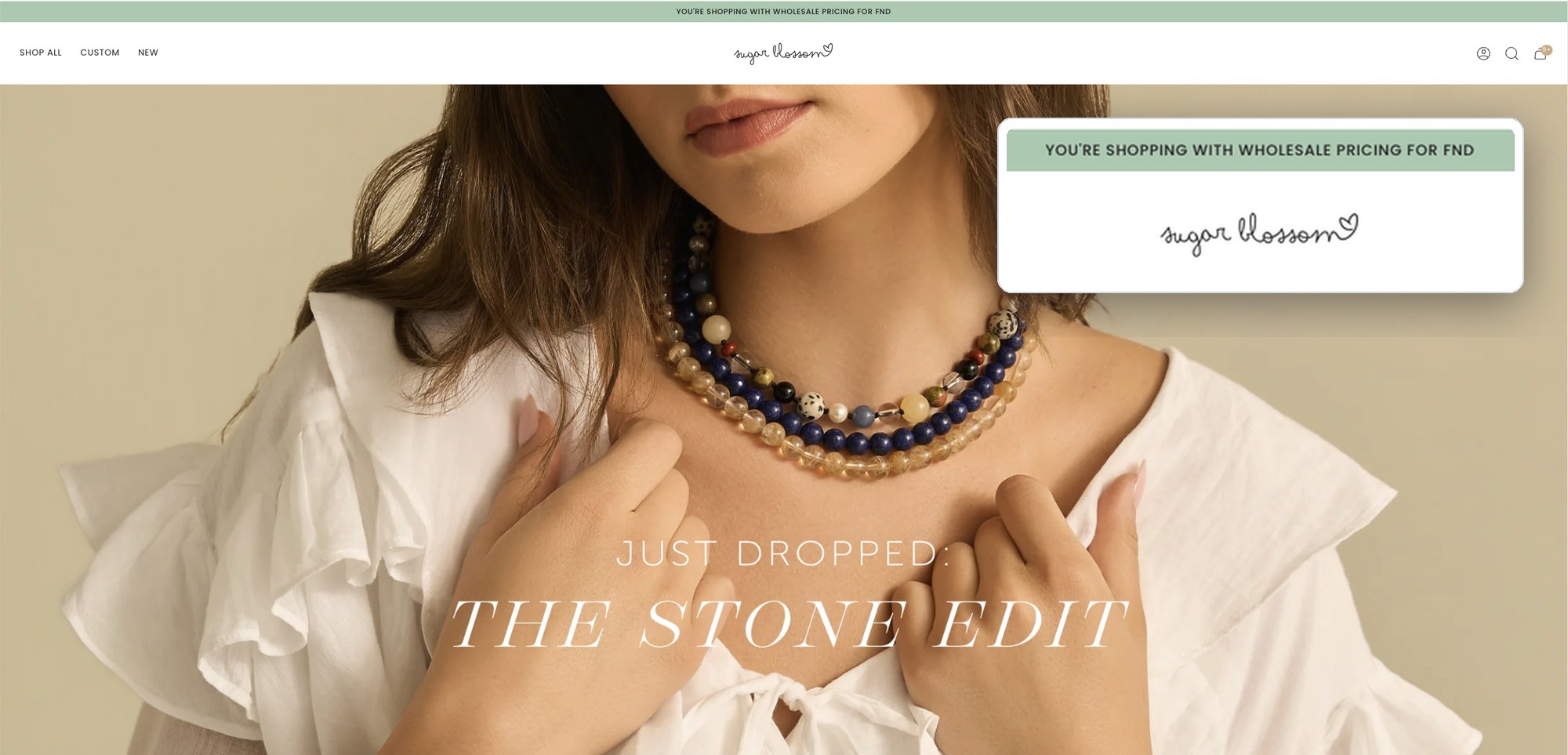
  • Logged-in wholesale buyers get wholesale links in the footer and a banner with their company name.
  • Wholesale orders get a $20 flat shipping rate, free from $1,000, while retail keeps its own rates.

What a wholesale buyer sees

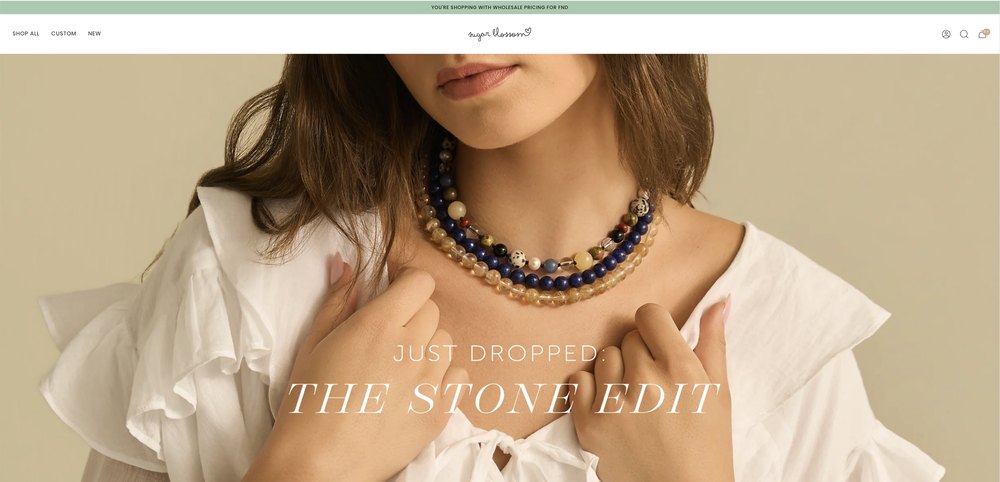
The same storefront retail shoppers get, plus a bar that names their company and confirms wholesale pricing.
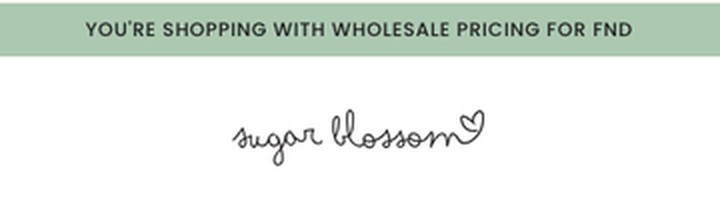
Sugar Blossom homepage logged in as a wholesale buyer. A green bar above the header reads You're shopping with wholesale pricing for FND, shown enlarged in a callout, above the Stone Edit campaign photo.
Sugar Blossom homepage logged in as a wholesale buyer, with a green wholesale pricing bar above the header.Close-up of the green bar: You're shopping with wholesale pricing for FND.
Logged in with our test company (FND) on the launch build, October 2026. Real buyers see their own company name in the bar.

Moving the buyers

Most products already lived on the retail store. The accounts didn't. Every wholesale buyer had a login on the old store, and Shopify B2B wants each one inside a company, so Michael wrote a script to do the reshaping.

  1. Export
    Every wholesale customer comes out of the old store through Matrixify, a bulk import and export app.
  2. Reshape
    The script builds one Shopify company per wholesale account.
  3. Keep the terms
    Grandfathered accounts stay grandfathered, which sets their minimum order. Payment terms default to off, as Sugar Blossom asked.
  4. Test, then import
    A test import on a development store comes first. The real import runs at launch, so buyers arrive with their company already set up.

Where native B2B stops

Native B2B covered most of the brief. It came up short in two places that wholesale buyers notice right away.

What Sugar Blossom neededNative Shopify B2BWhat we added
Retail price (MSRP) next to the wholesale priceBuyers see their catalog price. Showing retail beside it means entering a compare-at price in each catalog, product by product.Switchboard's B2B MSRP switch copies each product's retail price, keeps it current when retail changes, and shows it as MSRP next to a logged-in buyer's price.
A minimum order that depends on the accountQuantity rules count units of each variant, not order value. Shopify's Checkout Blocks app adds one order minimum, for all customers or all B2B companies.One checkout rule with four tiers, set by grandfathered status and order history.

Retailers price against MSRP, so they want it on the page while they order. Typing it into every catalog by hand, and retyping it whenever retail changes, is the kind of chore this project existed to remove.

The tool
Switchboard, a checkout rules app from The Click Collective, already runs the wholesale shipping rules, which show logged-in wholesale buyers only their own rates. At launch it also switches on the tiered minimum and the MSRP display. The minimum and the shipping rules are Shopify Functions, the code behind custom checkout rules. Below Shopify Plus, those only run from public App Store apps, so a public app was the way to do it.
A Click Collective app, built by FireNet's lead dev.

Sugar Blossom's minimums depend on two things: whether the account is grandfathered, and whether it has ordered before.

Minimum order value
AccountOpening orderReorder
Standard accountCurrent wholesale terms$700$500
Grandfathered accountEarlier terms, kept$500$300
A reorder means the account has bought before. Checkout stops an order below the buyer's minimum and says why.

The old wholesale store enforced its minimum with theme code on the cart page, which we wrote in 2022. Express checkout buttons can skip a cart page. The new rule runs inside checkout itself, so skipping the cart doesn't skip the minimum, and it only applies to wholesale buyers.

The Results

What one store saves

The merge retires the wholesale store's Shopify plan, and the app cleanup that comes with it cuts more than $160 USD a month.

Retired once wholesale is live on the main store
1
Store to run instead of two
1
Shopify plan
$160+
USD a month in apps
0
Store-to-store syncs left

The other saving is time. A product gets listed once, photos and description included. Stock is one number, so there's no second store to disagree with it.

Nothing gets cancelled until the new setup is live and doing its job. That was in the proposal from day one.

Go-ahead to launch within 20 days
Sept 23Day 0
Strategy call
Native B2B, two wholesale catalogs, and no jump to Shopify Advanced unless buyers need it. Approved the same day.
Sept 24Day 1
Kickoff
Store access, Matrixify, and Sugar Blossom's rules in writing: minimums, catalogs, shipping and payment terms.
Sept 28 to Oct 2Days 5 to 9
Theme and migration script
Gated wholesale pages, the application form, the wholesale footer and banner, and the company import files.
Oct 5 to 6Days 12 to 13
Checkout rules
Wholesale shipping switched on for logged-in buyers only. The four-tier minimum and the MSRP display built in Switchboard.
LaunchBy day 20
Go-live
Import the companies, switch on the catalogs, the minimum and the MSRP display, and send the old wholesale address to a "We've moved" page.

The Numbers

What's next

Wholesale moves onto the main store before Black Friday and Cyber Monday, so the busiest weeks of the year run on one store.

If buyers say wholesale information is hard to find, Shopify's Advanced plan adds storefront and checkout customization by market. Until they do, the theme handles it in code and Sugar Blossom skips the bigger plan.

Sources

We checked the platform facts on this page against Shopify's own documentation in October 2026.

  1. Native B2B reached Basic, Grow and Advanced in April 2026. Since April 2, 2026, those plans get company profiles, payment terms and up to three active B2B catalogs. Native B2B launched in 2022 for Plus stores only.Sources: Shopify (2026). Key B2B features now available on non-Plus plans, Shopify Changelog; Shopify (2022). Use all-new B2B features in the Online Store, Shopify Changelog.
  2. Three catalogs on Basic, Grow and Advanced, and storefront customization by market from Advanced up. Basic, Grow and Advanced allow up to three active catalogs across all B2B markets. Contextual storefront and checkout customization through Markets needs Advanced or Plus.Source: Shopify (n.d.). Shopify B2B features by plan, Shopify Help Center.
  3. Catalogs can show MSRP, but it's entered product by product. A catalog's compare-at price can show the original price or MSRP, set per product. A percentage price adjustment applies to compare-at prices by default.Sources: Shopify (n.d.). Customizing B2B pricing using catalogs, Shopify Help Center; Shopify (n.d.). Creating catalogs for markets, Shopify Help Center; Shopify (2025). Set compare-at prices in Catalogs, Shopify Changelog.
  4. Shopify's own minimums are per variant, or one flat order value. B2B quantity rules apply to product variants. Checkout Blocks order value limits apply to all customers or only to B2B companies, and reached Basic, Grow and Advanced on April 13, 2026.Sources: Shopify (n.d.). Setting up quantity rules and volume pricing in B2B, Shopify Help Center; Shopify (n.d.). Setting up order value limits in Checkout Blocks, Shopify Help Center; Shopify (2026). Checkout Blocks: Order value limits available on all plans, Shopify Changelog.
  5. Below Plus, custom checkout rules need a public app. Stores on any plan can use public App Store apps that contain functions. Custom apps with Shopify Function APIs need Plus. Cart and checkout validation runs server-side in checkout, express checkouts included.Sources: Shopify (n.d.). About Shopify Functions, Shopify Dev Docs; Shopify (n.d.). Cart and Checkout Validation Function API, Shopify Dev Docs.
Work with us

Running wholesale on a second store, or paying for a wholesale app?

Native B2B now works on every Shopify plan from Basic up. On a free call we'll look at your setup and tell you straight whether moving is worth it, what it would retire, and where you'd still need help.
Book a free discovery call
You'll talk to a developer, not a sales rep.
Jenna Hutchinson and Ashley Kosowan of Jenna Rae Cakes at their Island Lakes shop, beside two phones showing jennaraecakes.com: the Design Your Own Cake page and the cart with store pickup, local delivery and shipping.The Stock Up & Save block from The Face Lotion product page, with 1, 2 and 3 pack options, beside a phone showing the Add & Save block, with add-ons at an extra discount.
Photo of Article everything need to start an online store and sell online

Ready To Take Your Shopify
Store To The Next Level?

Make My Shopify Store Work

Real solutions. No guesswork. Just results.