November 26, 2026
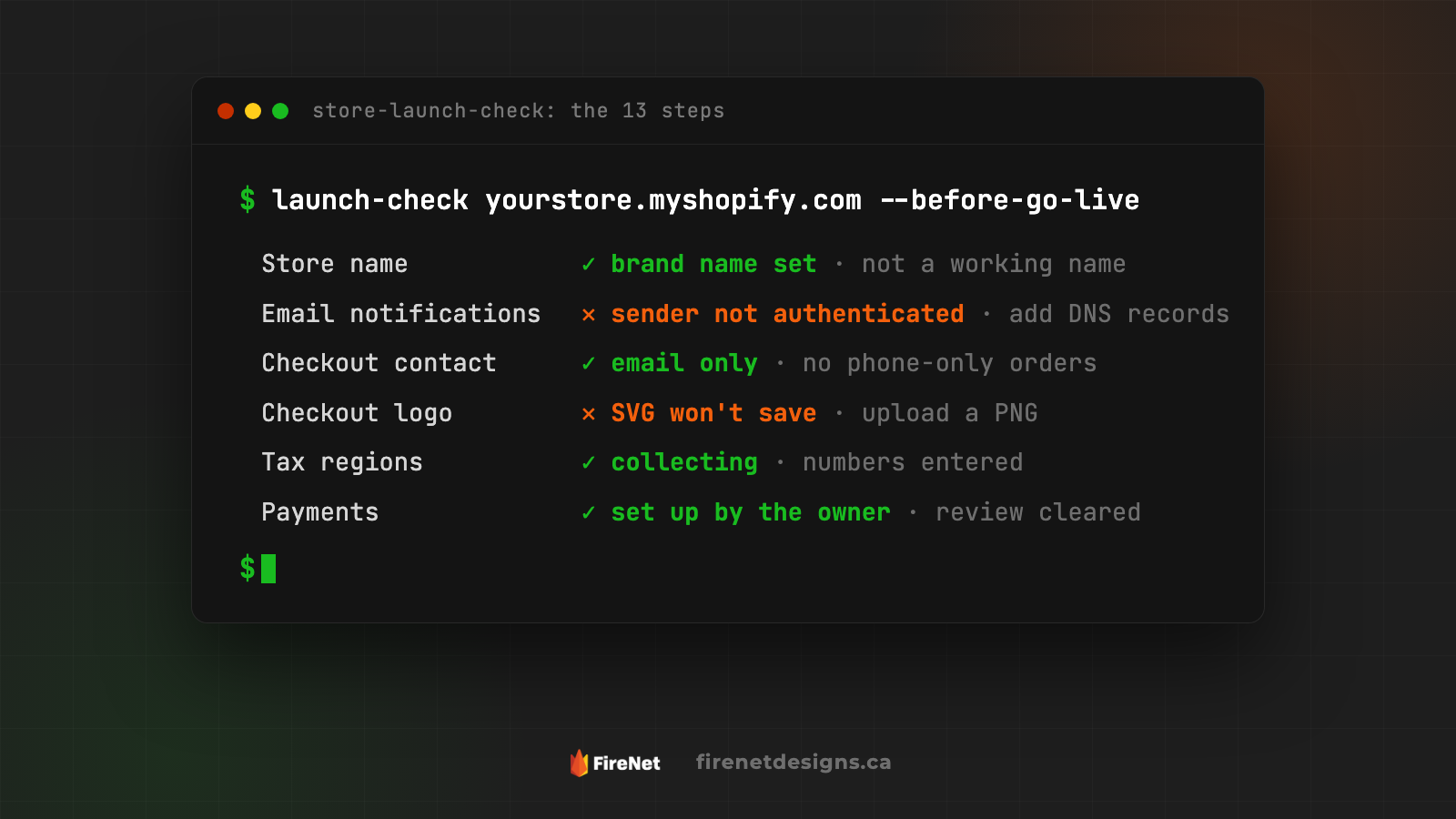
This is the list of things I check every time we launch a Shopify store. By launch day everyone has looked at the theme a hundred times. Almost nobody has opened Settings, and that's where new stores slip.
The order confirmation goes out with no logo. The checkout shows the store's name in plain text. The first email a customer gets comes from a Shopify address instead of yours. None of it is hard to fix. It gets missed because it isn't on the pages everyone was looking at.
I run FireNet Designs. We build and launch Shopify stores, and these are the 13 steps we go through before any of them goes live, in the order we do them. This post covers what each step is and why it matters. The exact settings we use, the click paths and the launch-day sign-off are in the free PDF at the end.
The store name is whatever was typed when the store was created, and it's often a working name: "Brand Dev" or "Shop Brand Name". Shopify shows that name to customers on the online store, in your policies and in your notification emails. It's also the header of your checkout until you add a logo.
It can follow you into search too. Google picks the site name it shows above your result by itself, and it reads your home page to do it. A working name left in Shopify is one of the places it can pick up the wrong one.
So the first step takes two minutes. Set the store name to the brand name, and make sure the store email and phone number are real ones that someone answers.
This one gets missed all the time. Order confirmations and shipping updates are the emails your customers actually open. On a new store they go out with no logo, Shopify's default blue buttons and, until your domain is authenticated, a sender address at shopifyemail.com instead of your own.
There are two jobs here. One is branding: your logo and your brand colour on the email templates. The other is the sender address, which means adding DNS records for your domain. Those can take up to 48 hours to show up, and Shopify only lets you add them once the store is on a paid plan. So this step is worth starting early, and the PDF has the order to do it in.
The theme everyone approved has to be the one customers get. That sounds obvious, and it still goes wrong. If your theme is connected to GitHub, the published theme should be the one connected to your production branch, with the approved work merged into it. When it isn't, the live store can show a theme's demo content while the finished work sits in a draft.
After every push we open the live store and click through the home page, a product and the cart. That's where a bad deploy shows up first.
Checkout constantly gets missed. It's the one page every paying customer sees, and almost all of it is set outside the theme.
There are about a dozen settings on this page that I check on every store. Here's one of them. Customer contact method should be set to Email. With "Phone number or email", a customer can check out with only a phone number. That order has no email address, so there's no email receipt, no abandoned checkout email and nobody to add to your list.
Here's another, because it's the one people set wrong for a good reason. It's tempting to preselect the marketing checkbox so the list grows faster. In Canada that doesn't work: the CRTC says a pre-checked box can't be used to ask for consent. The EU and the UK treat a pre-ticked box the same way. US federal law allows it. On the Canadian store I last set up, Shopify's own recommended list was the United States only, so check that list, and don't add a region unless you've checked the law there. I'm not a lawyer, and this isn't legal advice.
The other ten or so, with the value we set for each, are in the checklist.
Out of the box the checkout shows your store name in plain text and Shopify's blue. Ten minutes in the checkout editor fixes that: your logo, your colours, the pay button in your brand colour. Small changes add up.
One trap. The checkout won't take an SVG logo. You can pick one and it shows in the preview. Then the save fails with a small message that's easy to miss, and the logo is gone. Upload a PNG.
If you want every setting for both checkout steps, the 2027 Shopify Store Launch Checklist is free.
These are the steps I do with the store owner. They're decisions about the business and its money, so a developer can't finish them alone. I'm not a tax advisor either, so check anything you're unsure of with your accountant.
A new store doesn't collect tax anywhere until you tell it where you're registered, even with Shopify Tax switched on. The Taxes and duties page lists each region and whether it's collecting.
If you sell across a border, there's more to decide. Since August 29, 2025, the US no longer lets low-value commercial parcels in duty free. A Canadian store shipping to the US on Canada Post labels bought in Shopify has to ship duties paid, so it has to decide who covers the duty: the store, or the customer at checkout. Shopify can estimate duties and collect them at checkout, and it needs two things on every product to do it: an HS code and a country of origin. On a big catalogue that's a job to start weeks before launch.
If a developer or an agency built the store, it probably still belongs to them. Before launch it has to be transferred to the owner, who chooses the plan, adds billing and sets up payments. Only the store owner can activate Shopify Payments, and Shopify says a review of the documents can take up to 24 hours.
There's a trap in the transfer itself that can stop it cold. It's in the PDF, along with who does what.
If you had customers on your old site, bring them with you, and bring their marketing choices with them. Only people who subscribed should arrive as subscribers.
Then send a test through every form on the store, twice, and make sure each one lands in an inbox someone reads. If a form looks fine but sends nowhere, nobody notices until a customer asks why they never heard back.
If the new store replaces an old site, every old address has to point at its new page. Without a redirect, a customer with an old link and Google both land on a page that isn't there. Shopify has one catch here that trips people up, and the checklist covers it.
Headings are the other half: one H1 per page, with the levels in order below it. Google says heading order doesn't matter for Google Search, so I won't pretend it does. We keep it clean because screen readers use headings to move through a page.
Redirects are a bigger topic than one step. If you're moving from another platform, our website launch checklist covers the search side in full.
Clarity records how people use the store and builds heatmaps from it. It's free, and it takes about two minutes to set up. I install it on every store, because it's how we find out what to fix next.
Watch the setup screen. It preselects "Clarity with Brand Agents", an AI shopping assistant. Choose "Clarity only" unless you want that on your store.
If you get visitors from Europe, Clarity needs a consent signal for them. On Shopify that means switching on the cookie banner.
Look at what the old site was using. If its tracking ID starts with UA, that's Universal Analytics, which stopped processing data on July 1, 2023. Nothing has been recorded since. The new store needs a Google Analytics 4 property, connected through Shopify's Google & YouTube app by a Google account that's an administrator of the property. The owner should own that property.
If the store shows an Instagram feed, it comes from an app connected to an Instagram account. Connect the brand's main account, with the owner signed in, and check that the right posts appear. One thing changed here: Meta shut down the Instagram Basic Display API on December 4, 2024, so feed apps need a professional account.
Five of the steps above need the store owner, and each one stops at something only the owner can do. So we book one call before launch, share a screen and do them together. It's one call in place of a week of emails.
The PDF marks those steps and pulls them into one list for the call. Book it early, because the DNS records and the payment review both take time to clear.
Those are the 13 steps. The 2027 Shopify Store Launch Checklist is a free PDF with every one of them as a tick list: the setting, the value we use, the traps, the list for the launch call and a sign-off for launch day.
Get the 2027 Shopify Store Launch Checklist
It's the same list we run on the stores we launch. If you'd like us to go through yours with you, send us a note.

FireNet Designs is a verified Shopify Partner, featured in the official Partner Directory. Since 2022, we’ve delivered lightning-fast Shopify design, development, SEO, app builds, and more: 4x faster, at half the cost. No fluff, no middlemen, just results. The Anti-Agency for brands that want growth, not delays.

Get expert eyes on your storefront
© FireNet Designs Inc.


